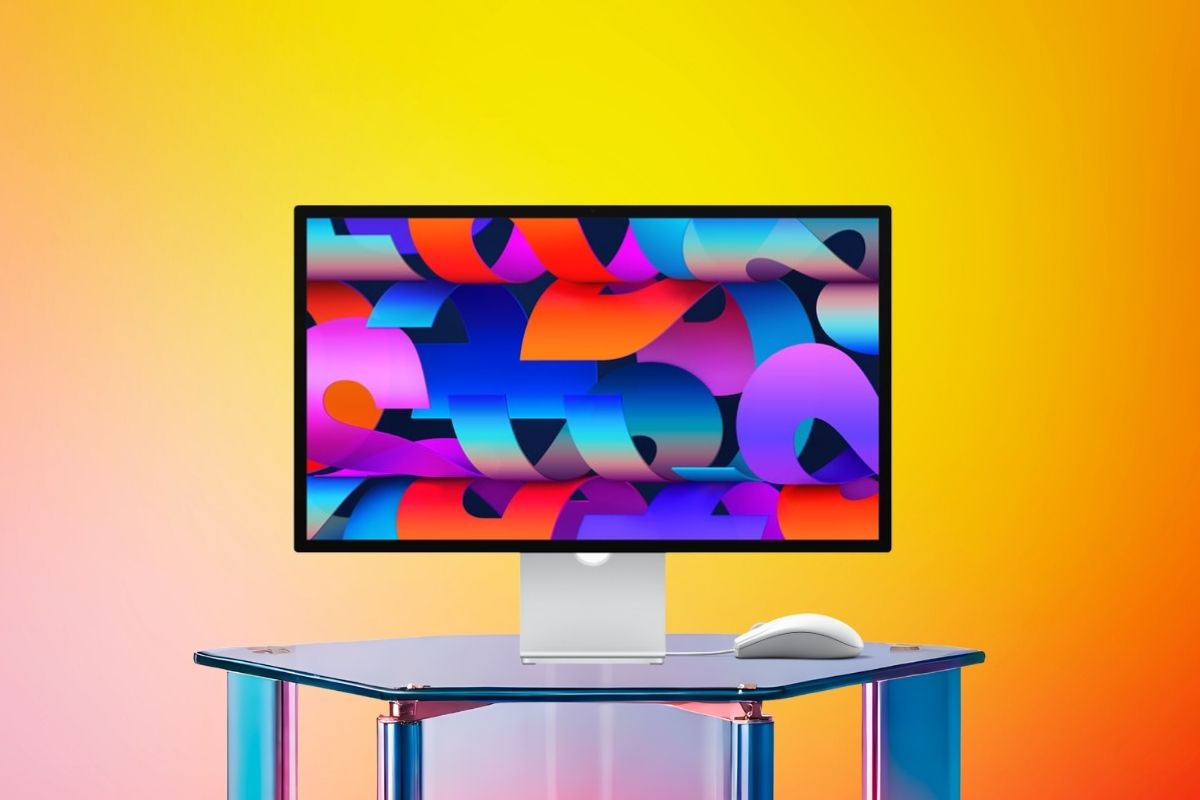
On March 3, 2026, Apple introduced two new displays. One is the upgraded Studio Display. The other is the new Apple Studio Display XDR. It may be said that the latter is Apple’s most important monitor in years. It takes the place of the well-known Pro Display XDR, but at a lower price. Plus, it features technology that elevates pro-level display performance. But does it live up to the hype? Let’s take it apart.
What is the Apple Studio Display XDR?
Apple revealed the Studio Display XDR, its new top-of-the-line professional display. It will be available for purchase on March 11, 2026. It does a good job of replacing the Pro Display XDR, which was Apple’s best monitor for almost seven years and cost $4,999. The new XDR starts at $3,299, which is $1,700 less than the old one, and it has many of the same or better features.
The original Pro Display featured a 32-inch 6K screen. This new version has a 27-inch 5K Retina XDR panel with a resolution of 5,120 x 2,880. Even though the screen is smaller, the technology is far better. It has mini-LED lighting. The peak brightness is higher. It supports a 120Hz refresh rate. Plus, it includes professional tools not seen in this size before.
Key Specs at a Glance
- Display: 5K Retina XDR with a 27-inch screen (5,120 x 2,880 at 218 ppi)
- Backlight: Mini-LED with 2,304 local dimming zones
- SDR Brightness: Up to 1,000 nits
- Peak HDR Brightness: 2,000 nits
- Contrast Ratio: 1,000,000:1
- Refresh Rate: 120Hz with Adaptive Sync (47Hz–120Hz variable)
- Color Gamut: Adobe RGB and P3 broad color
- Connectivity: Two Thunderbolt 5 ports (up to 120Gb/s) + two USB-C ports (10Gb/s)
- Charging: 140W host charging using Thunderbolt 5 upstream
- Camera: 12MP Center Stage with a view of the desk
- Audio: Six speakers with Spatial Audio and Dolby Atmos
- Starting Price: $3,299 (for nano-texture glass: $3,599)
What Makes It So Powerful?
- Mini-LED Backlight with 2,304 Dimming Zones
The sophisticated mini-LED lighting is what makes the Apple Studio Display XDR so great. The display can make very exact areas of light and dark at the same time since it has 2,304 local dimming zones. This means that blacks are very dark and almost perfect, while highlights are very bright. There is no blooming or haloing, which was a problem with previous IPS panels. It has a contrast ratio of 1,000,000:1, which puts it in the genuine HDR range.
- Peak HDR Brightness of 2,000 Nits
The previous Pro Display XDR had a peak HDR brightness of 1,600 nits. The new Apple Studio Display XDR can reach 2,000 nits, which is a 25% increase. This is very important for HDR video editors, colorists, and photographers. HDR highlights in video now appear more natural and bright. This makes this panel one of the brightest professional monitors Apple has ever made.
- 120Hz ProMotion with Adaptive Sync
The Studio panel XDR has a 120Hz refresh rate, which is a first for an Apple panel that stands alone. This makes video editing timelines smoother. It also improves 3D viewports and games. They are more responsive now. Adaptive Sync changes the refresh rate between 47Hz and 120Hz based on the content. It saves energy for static content and makes quick motion as smooth as possible.
- P3 + Adobe RGB Wide Color Gamut
The display shows colours in both DCI-P3 and Adobe RGB colour schemes. This makes it a great reference monitor for filmmakers and print designers. The Adobe RGB coverage is particularly impressive. It gives artists a consistent view of their work across screen and print using a single preset. This simplifies colour-critical workflows.
- DICOM: Medical Imaging Support
Apple has added DICOM medical imaging presets to the Studio Display XDR. This is an unexpected move. When the FDA approves Apple’s Medical Imaging Calibrator app, radiologists will use it. They can rely on this display for their work. Imaging specialists will also use it for diagnoses. Specialized diagnostic radiology displays typically range from $5,000 to $10,000. They also have much lower resolution. The XDR’s 15-megapixel 5K panel might save medical organizations a lot of money.
- Thunderbolt 5 Connectivity & 140W Charging
The monitor has Thunderbolt 5 (up to 120Gb/s), allowing devices to transfer data quickly. You can also daisy-chain a second Studio monitor XDR. The upstream port can charge a host with 140W, which is enough to power even a 16-inch MacBook Pro. This means you don’t need to have a separate power adapter on your desk.
Studio Display XDR vs. Studio Display: What Sets Them Apart
Apple put out two displays at the same time. The regular Studio Display ($1,599) is an improved version of the 2022 model. It still has a 60Hz refresh rate and 600 nits of brightness. The real pro level is the Apple Studio Display XDR ($3,299), which has mini-LED, 120Hz, 2,000 nits, Adobe RGB, and DICOM support. Both have a 27-inch 5K panel, a 12MP Center Stage camera, a three-mic array, and a six-speaker audio system. However, the XDR has its own display technology and pro features.
One key thing to know is that the Studio Display XDR’s 120Hz refresh rate works best on Mac models with M4 or M5 CPUs. Older Macs with M1, M2, or M3 chips can only reach 60Hz. This is a major issue for those without the latest technology.
Who Is the Apple Studio Display XDR For?
Apple made the Studio Display XDR specifically for professionals who need to get a lot done:
- HDR Video Editors — working in Adobe Premiere, DaVinci Resolve, or Final Cut Pro
- 3D Artists & VFX Professionals — using Autodesk Flame, SideFX Houdini, or Blender
- Photographers & Print Designers — needing both P3 and Adobe RGB accuracy
- Game Developers — benefiting from smooth 120Hz previews
- Medical Imaging Specialists — pending FDA clearance for DICOM use
If you don’t need to do a lot of color work or are just a regular user, the normal Studio Display is probably a better deal. For professionals seeking top performance on screen, the XDR is Apple’s best choice.
Is this the Most Powerful Monitor Apple has Ever Made?
Yes, the Studio Display XDR is Apple’s most powerful monitor. It excels in brightness, contrast, local dimming, refresh rate, and colour accuracy. It outperforms the Pro Display XDR in key areas. Plus, it’s now more affordable, costing $1,700 less than the previous model.
This display offers 2,000 nits of peak brightness, a 1,000,000:1 contrast ratio, and 120Hz ProMotion. It also covers P3 and Adobe RGB colours and supports DICOM medical imaging. This makes it the best Apple has and matches top professional displays from any brand. Thunderbolt 5, 140W charging, a 12MP camera, and a great sound system all add value. They are perfect for serious creative workers.
It has a few drawbacks. The screen is smaller at 27 inches, compared to the original 32-inch Pro Display. There’s also a 120Hz limit on older Macs, and the price is quite high. The Studio Display XDR is the best Apple display for professional work, nevertheless.
Frequently Asked Questions (FAQs)
Q1. When will the Apple Studio Display XDR be available for purchase?
On March 4, 2026, anyone may start pre-ordering the display. It went on sale on March 11, 2026, in 35 countries.
Q2: How much does the Apple Studio Display XDR cost?
The regular glass version of the Apple Studio Display XDR costs $3,299. The nano-texture (anti-reflective matte) glass adds $300, bringing the total to $3,599. Prices for education start at $3,199.
Q3. Can you use the Apple Studio Display XDR with earlier Macs?
Yes, but only in certain ways. The Apple Studio Display XDR works with any Apple Silicon Mac running macOS 26.3.1 or later. But Macs with M1, M1 Pro, M1 Max, M1 Ultra, M2, or M3 CPUs can only run at 60Hz. M4 and M5 chip types are the only ones that can use the full 120Hz. Intel Macs are not supported.
Q4: How does it stack up against the old Pro Display XDR?
The Apple Studio Display XDR is smaller (27-inch 5K vs. 32-inch 6K), but in most ways, it is better than the Pro Display XDR. It offers a higher peak HDR brightness of 2,000 nits compared to 1,600 nits. It also has a 120Hz refresh rate instead of 60Hz. Other features are: mini-LED lighting with local dimming. It has Thunderbolt 5, not Thunderbolt 3. There’s a built-in camera and six speakers. The key trade-off is the size of the screen and the number of pixels.
Q5. Is it possible to connect more than one Apple Studio Display XDR in a daisy chain?
Yes. You may connect a second Apple Studio Display XDR to the Thunderbolt 5 connector on the back of the computer. You can set up a strong dual-display system. It only needs one Mac connection.
Q6. What is Adaptive Sync, and why is it important?
Adaptive Sync adjusts the display’s refresh rate from 47Hz to 120Hz. This matches the frame rate of the content being shown. This helps reduce screen tearing in games. It makes video playback smoother. It also saves energy when you view static content, like documents or spreadsheets.
Q7: Is the Apple Studio Display XDR a good screen for gaming?
You can use it for gaming. The 120Hz refresh rate and Adaptive Sync make it much better than Apple’s older panels. It’s a costly gaming monitor, though, at $3,299, and it’s mostly meant for professional creative work. If you’re on a budget, you can obtain better deals elsewhere.
Q8. What environmental features does it have?
Apple made the Studio Display XDR with the environment in mind. The stand uses 100% recycled aluminum. The standard glass includes 80% recycled glass, a first for Apple. The box is made of 100% fibre-based materials that you can break down and recycle at home.